Your pages already know the answers.
WPChatbot turns your WordPress pages, posts and products into a chat that answers visitors and captures enquiries.
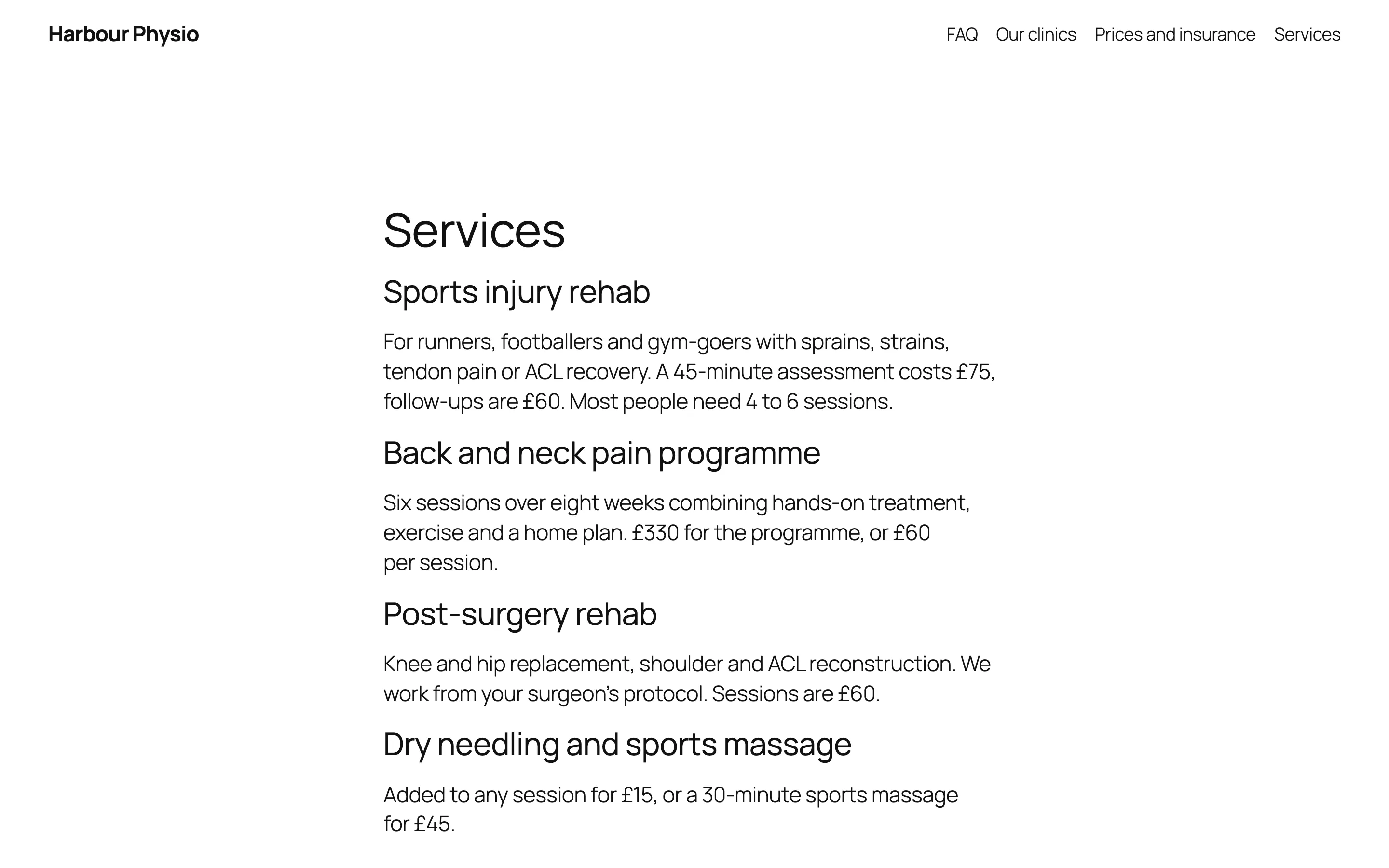
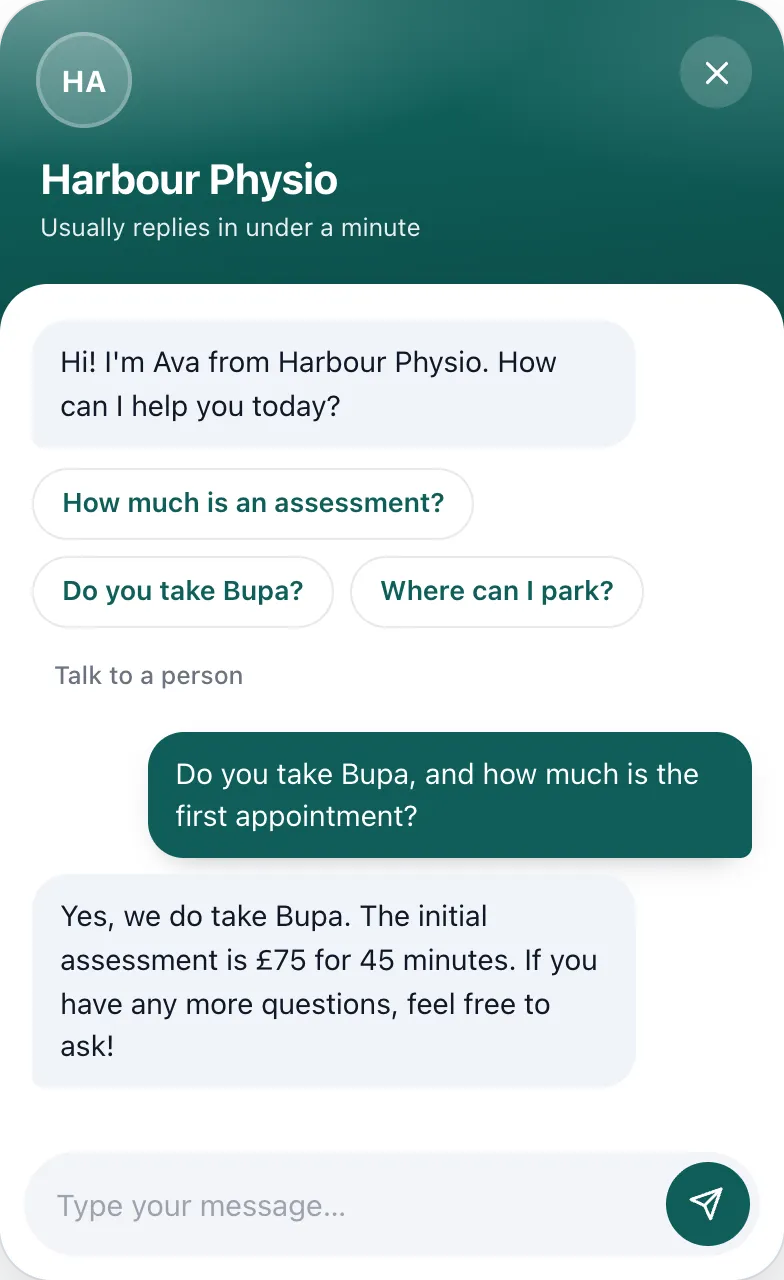
Visitors don't read. They ask.
Prices on one page, parking on another, insurance halfway down a paragraph. Someone with one question won't go looking. They leave, and the question goes with them.
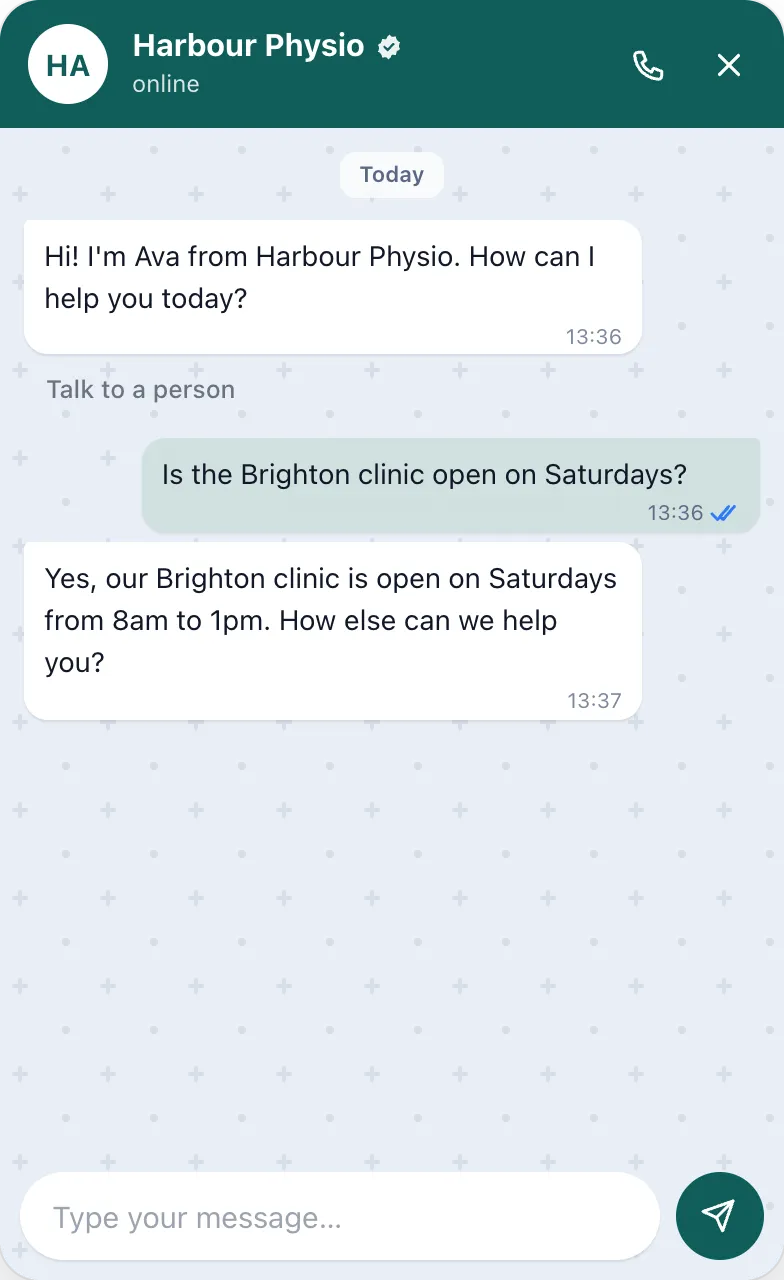
It answers from your pages.
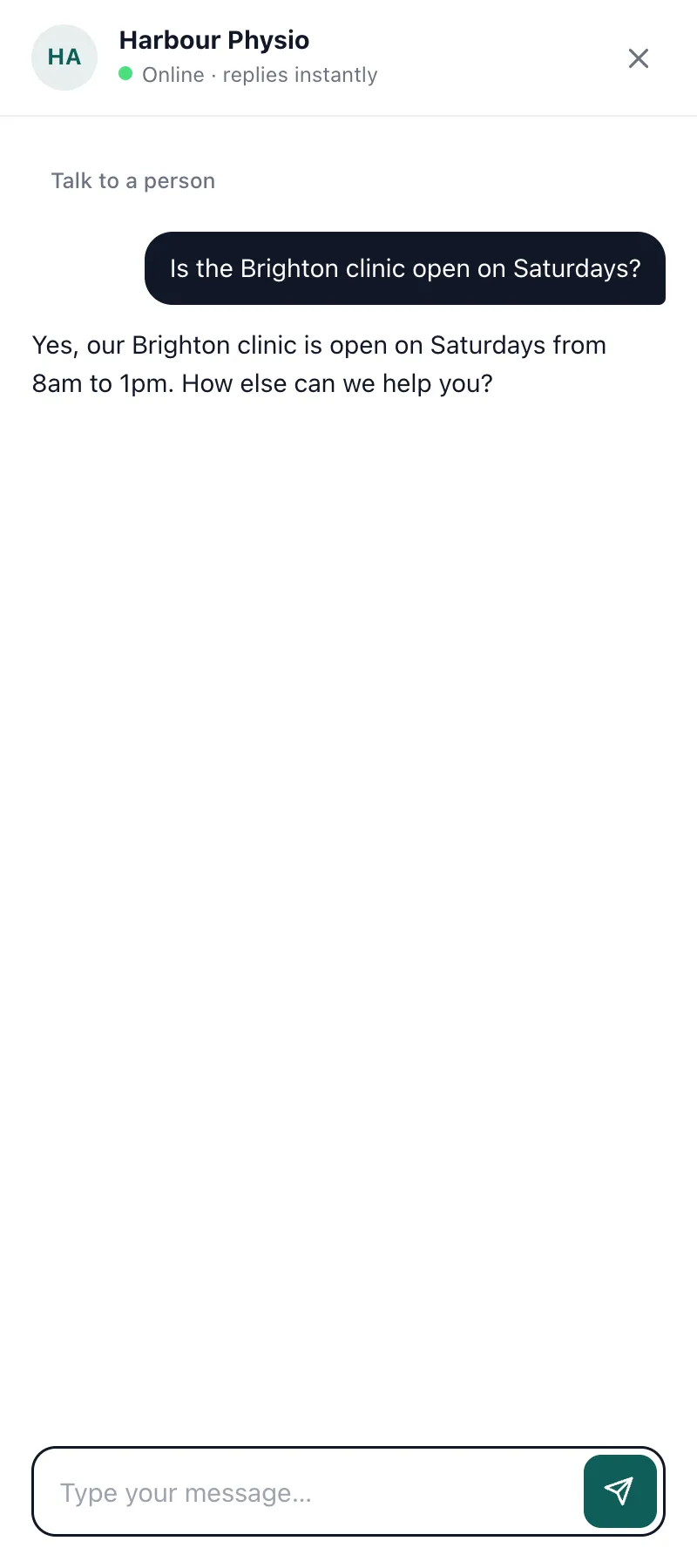
WPChatbot reads the pages you choose, finds the passage that answers the question and replies in plain words. It's told to stick to what your site says, and to offer a person when your site doesn't cover it.
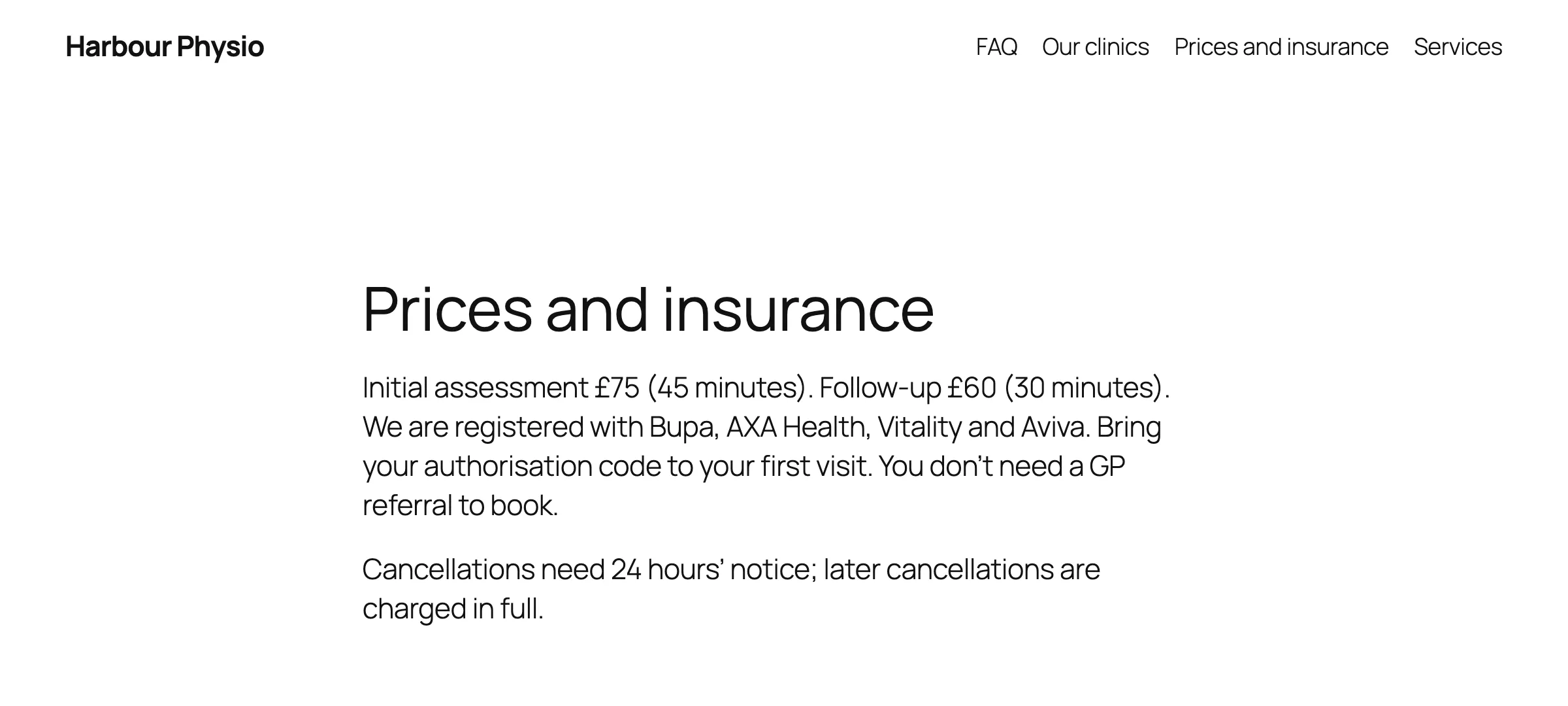
Then it does what your front desk would.
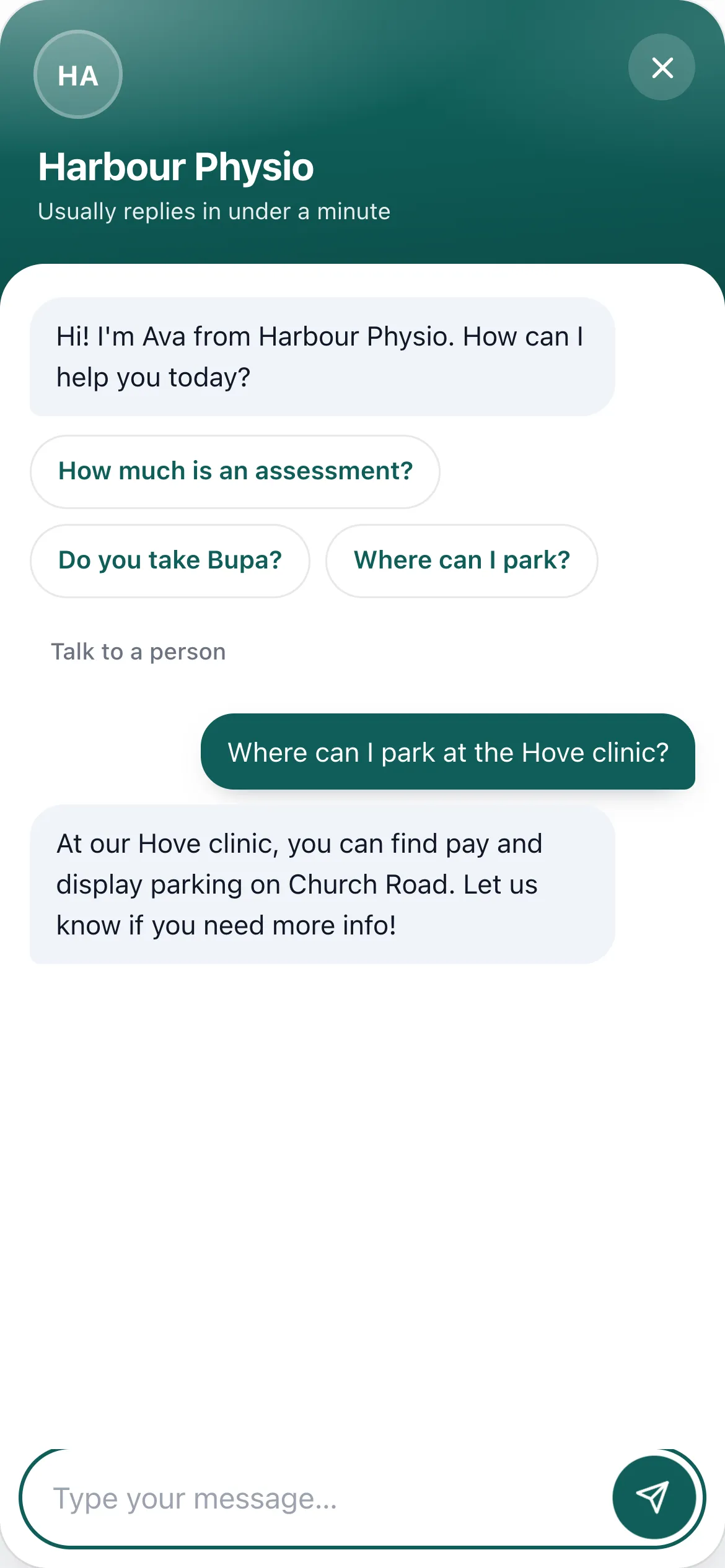
It knows which page they're on
Ask about parking on the clinics page and it answers for that clinic. The page a visitor is reading guides what it looks up.
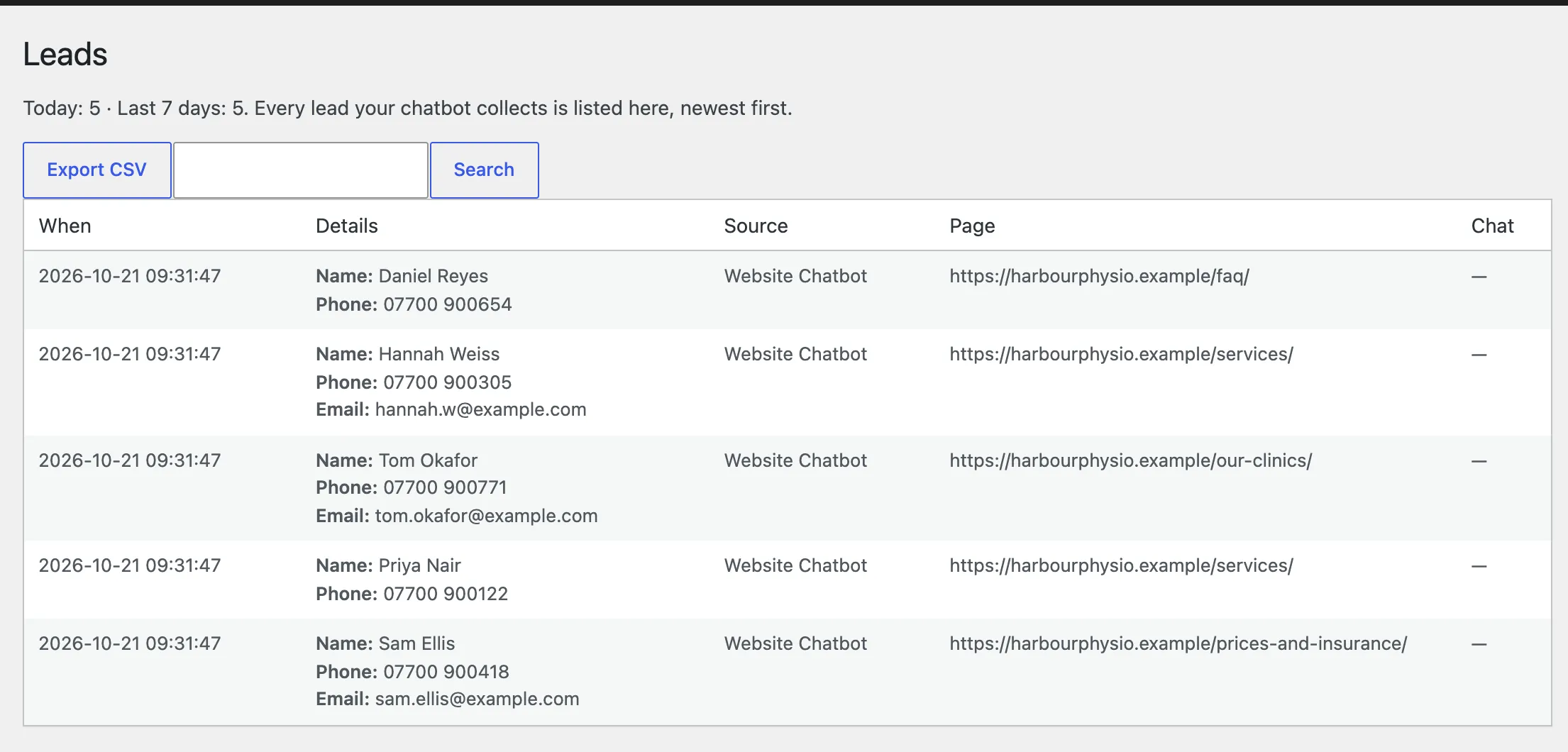
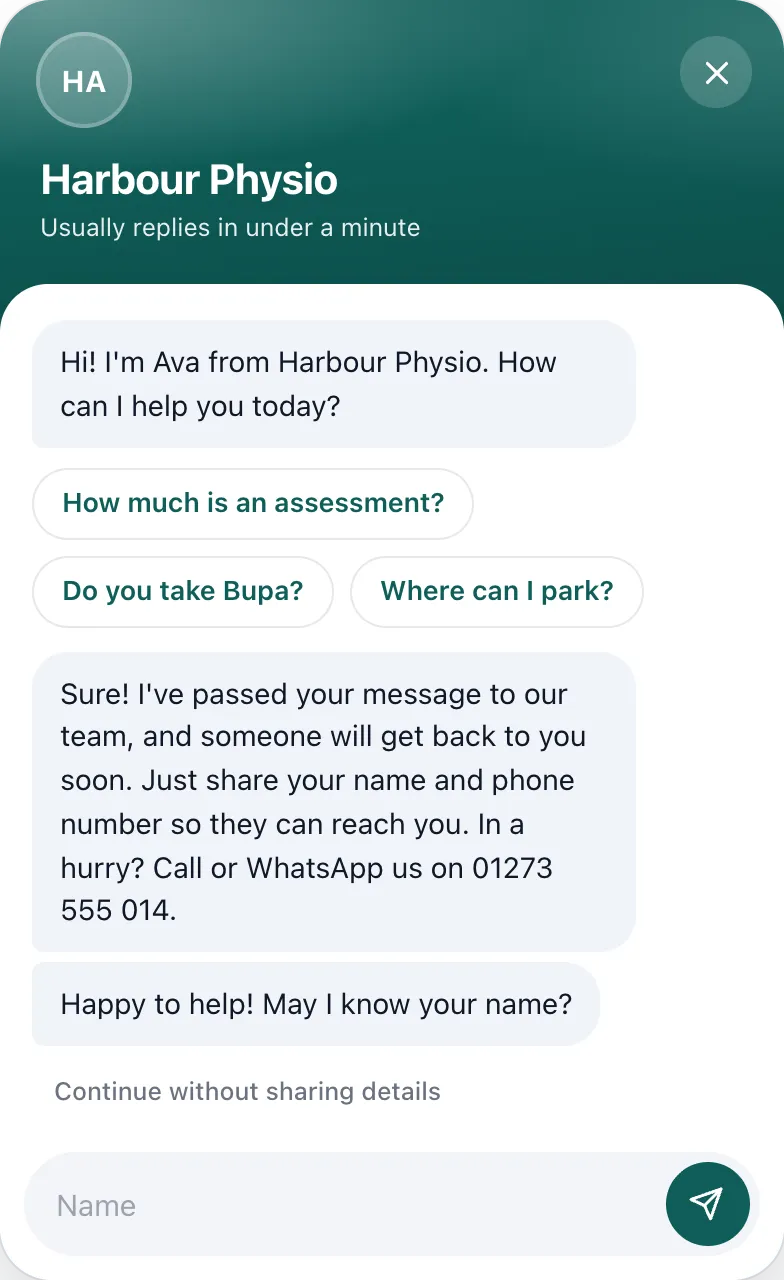
It takes a name and number when they're ready
Ask before the chat, after the first question, or only when someone wants a quote or a callback. Every enquiry is saved in WordPress with the page it came from.
It calls a person when it should
Visitors can ask for a person at any time. Your team gets an email, and a Slack message if you want one, with the question and how to reach them. It's a follow-up, not live chat.
Enquiries go where your team already works.
Every lead is saved in WordPress and sent on as it arrives. If a destination is down, delivery retries on its own.
- Email alerts
- Google Sheets
- Zoho CRM
- Slack
- Zapier, Make and n8n
- WhatsApp via Interakt
- Supabase
- CSV export
It replies in the visitor's language, including Hindi, Hinglish, Spanish, French, German and Portuguese, even when your pages are in English.
Set up in an afternoon. Most of it is ticking pages.
- 1
Install the plugin and activate your licence key.
- 2
Connect your own AI provider key. OpenRouter, OpenAI, Anthropic, Gemini and Groq all work, and the provider bills you for what you use.
- 3
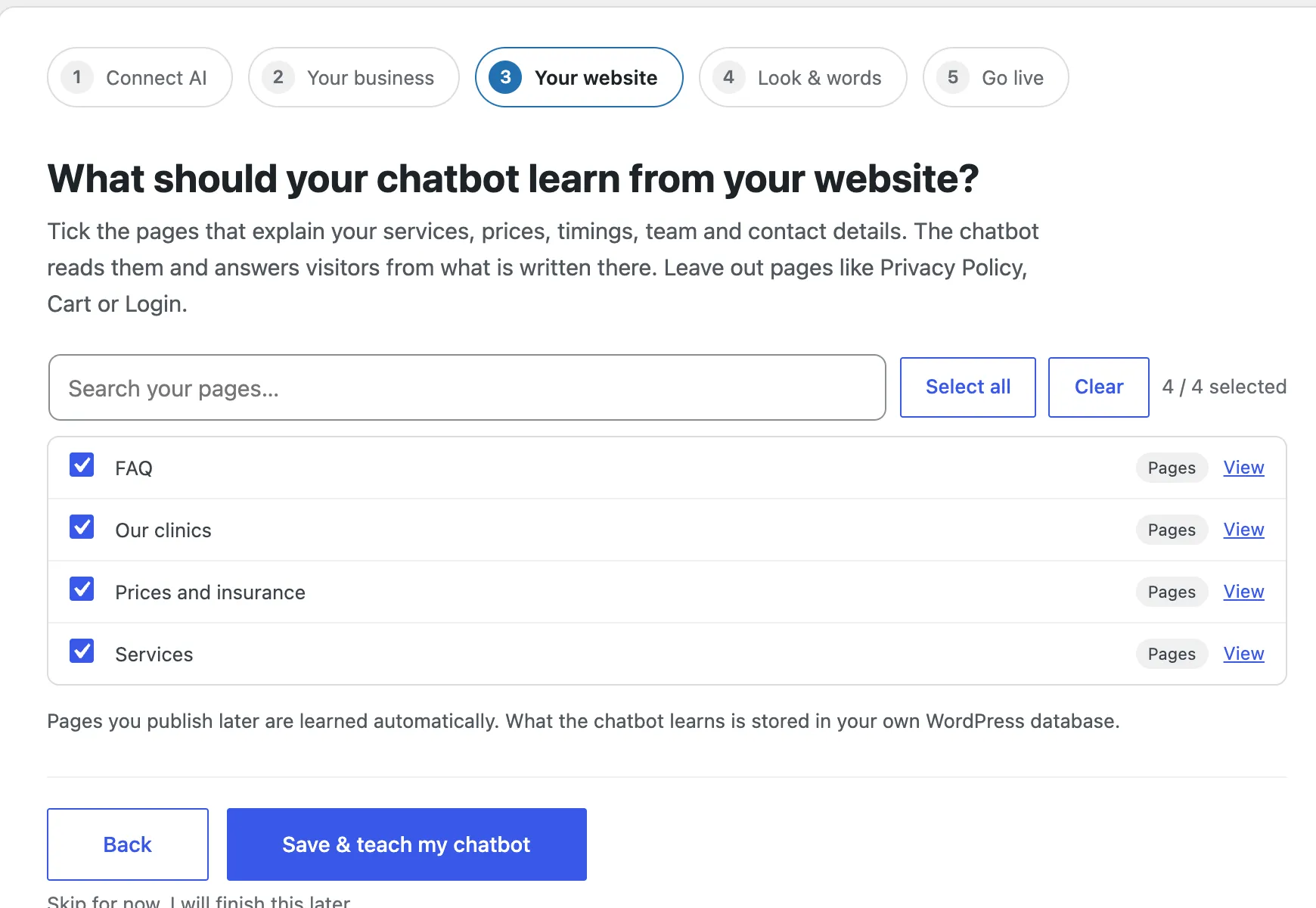
Tick the pages it should learn from, choose a style and switch it on.
- Watch the 2-minute tour
Two plans. The only difference is how many sites.
Unlimited Sites
$599/year
Every live site you or your clients run. Priority email support.
Buy Unlimited SitesBoth plans include every feature, a year of updates, up to 5 free staging copies and a 7-day refund. Your AI provider bills its own usage. Compare plans
Before you buy
Do I need my own AI account?
Yes. WPChatbot connects to the AI provider you choose with your own API key: OpenRouter, OpenAI, Anthropic, Google Gemini, Groq or any OpenAI-compatible endpoint. The provider bills you directly, and you can set monthly caps in the plugin.
Where does it get its answers?
From the pages, posts and products you select, plus business facts you add. It doesn't read PDFs or other websites. It's instructed to answer only from that content, so check its answers to important questions before you go live.
Will it work with my theme?
Yes. The chat renders in its own isolated layer, so theme styles can't break it. Use it as a floating widget, a block or the [wp_ai_chatbot] shortcode.
Where is my data kept?
In your WordPress database: settings, the knowledge base, conversations and leads. Visitor messages go to the AI provider you chose. We never receive your visitors' chats or leads.
Can I test it on staging first?
Yes. Staging and development copies don't use your live-site allowance (up to 5 per key), and every purchase has a 7-day refund.
Can I use it on client sites?
Yes. Single Site covers one live site, whoever owns it, and Unlimited Sites covers every live site you manage. You can hand a configured site over to the client.